Category: Operations

The day-to-day of running product content: photography pipelines, catalogue launches, syndication to marketplaces, and the workflow between the people who shoot, tag, write and publish. Most catalogue problems are operational rather than technical, and this is where they get fixed.

  • Product photography without a studio backlog

    Product photography without a studio backlog

    A studio can shoot a lot of products in a day. Almost none of them reach a product page that week. The gap is where the backlog lives, and it is mostly not photography.

    Short answer: three things create studio backlogs. Setups that are rebuilt from memory each session, so images do not match between batches. Shot lists that are agreed after the shoot, so frames are missing and products come back. And a post-production step whose main output is crops, which should not be produced at all. Fix those and throughput roughly doubles without a second studio.

    Standardise the setup, then never rebuild it

    Consistency across a product grid matters more than the quality of any single frame. A customer scrolling a category page reads inconsistency instantly and quality barely at all.

    The way to get consistency is to stop treating the setup as a creative decision each time.

    • Fix the camera position, lens, height and distance per category. Write them down with numbers, not adjectives. Mark the floor.
    • Fix the lighting. Same modifiers, same positions, same power. Photograph the setup itself and pin the photograph up.
    • Shoot a reference target at the start of every session. A grey card and a colour checker take ten seconds and make colour correction deterministic instead of subjective.
    • Keep a physical reference product. Shoot it first each session and compare against the last session’s frame. If they do not match, something moved, and you want to know before three hundred products go through.

    The gain is not only visual. A standardised setup means the crop and the framing are predictable, which means downstream processing can be automated instead of eyeballed.

    Agree the shot list before the sample arrives

    Reshoots are the most expensive failure in the pipeline because they consume a slot, a sample and a second round of everything after.

    The shot list should be a property of the category, not of the shoot. Every chair gets these seven angles. Every garment gets these five plus a detail. Written once, reused every season, and known to the person booking samples so that a product without the required angles never leaves the studio.

    Two additions make it much more useful. First, mark which frames are mandatory for each channel, so the studio knows the square-on-white is not optional if you sell on a marketplace that requires it. Second, treat the list as a manifest for ingest, so the pipeline can tell you which frames are missing rather than someone noticing later. That is the same manifest idea described in the product image workflow.

    Macro of colour checker patches under raking teal light, five reading as a consistent sequence and the sixth amber and out of sequence

    Stop making crops

    Look at what post-production actually spends its time on. A share of it is real work: cleanup, colour, background, product accuracy. The rest is producing the six or eight sizes and aspect ratios that different destinations need.

    That second part should not exist. If renditions are derived from an approved master by parameter, the studio ships one file per frame and the destinations take the shapes they need. This removes a step, removes a storage problem, and removes the whole class of bug where the product page updates and the marketplace listing keeps the old crop.

    Two mechanics make it work reliably at scale.

    Content-aware cropping. A centre crop of a wide product shot cuts the product in half. Automatic subject-aware cropping, such as gravity-based cropping, gets it right for most frames without a person choosing a focal point. Set a focal point manually for the exceptions.

    Background handling as a transformation. Cutting out a product against white is genuine post-production work, but a large share of it is now doable as a transformation on delivery rather than as a file someone produces. Treat it as a first pass to be reviewed rather than as a finished result, and keep the master untouched underneath.

    The point is not that the tooling is clever. It is that the studio’s output becomes one master per frame, which is the smallest thing it can be, and everything downstream is a parameter.

    Add capacity without adding a studio

    When the shoot slot genuinely is the bottleneck, the options are cheaper than a second studio.

    Batch by setup, not by product. Shooting every product that uses the same setup consecutively removes the rebuild time between products, which is often more than the shooting time. This can double throughput on its own and it costs nothing.

    Shoot in a fixed rhythm. A standing weekly session that always happens is more productive than an ad hoc session that gets scheduled around availability, because samples can be prepared against a known date.

    Separate the easy from the hard. Most catalogues are eighty per cent products that need seven standard frames and twenty per cent that need art direction. Running them through the same process paces everything at the speed of the hard ones. Split the flow.

    Consider a second location for the standard eighty per cent. A fixed, standardised setup can be replicated. An art-directed one cannot. This is the argument for outsourcing the simple flow rather than the complex one, which is the opposite of what usually happens.
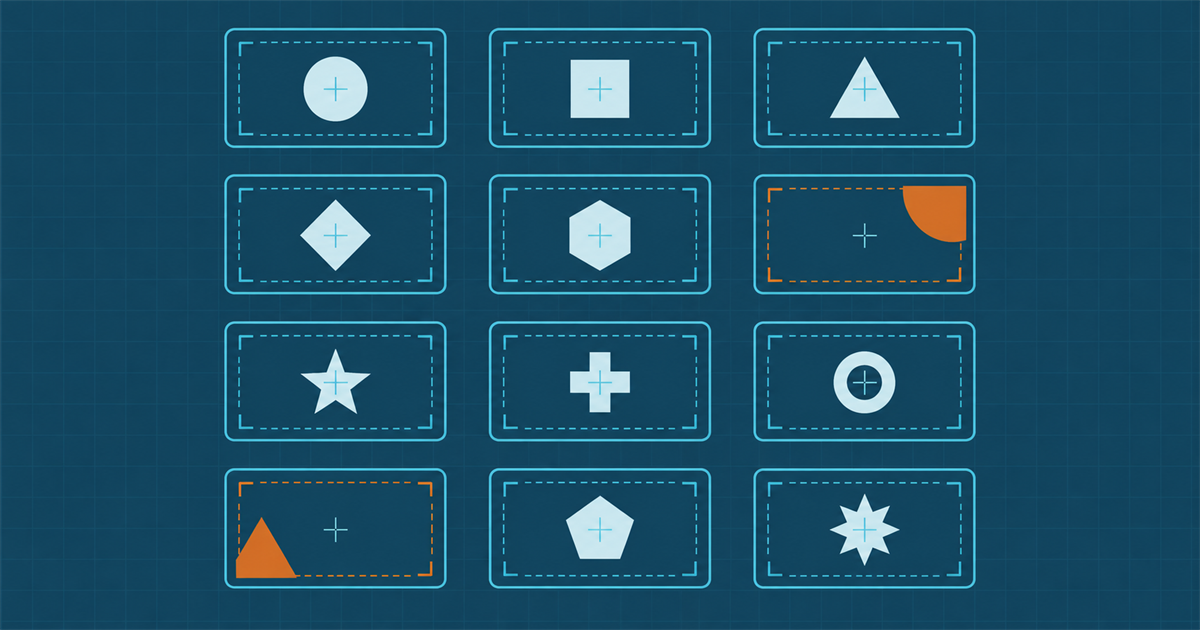
    A three by four grid of framing templates with teal crop guides, ten centred and two amber with the subject offset and clipped

    Preserve metadata through post-production

    Every export step is an opportunity to lose the information that makes the images findable later.

    Capture software can write the SKU, the shoot date, the photographer and the campaign into the file at capture. Retouching software can strip all of it on export, and often does, depending on the export preset. IPTC photo metadata fields are the standard carrier for this, and ExifTool is how you check whether yours survived a round trip.

    Test your own pipeline once, deliberately: write known values at capture, run a file through the whole post-production path, and read them back at the end. Whatever is missing is missing for every image you have ever shipped, and the fix is usually one export preset.

    What does good throughput look like?

    Ranges rather than targets, because category matters enormously. A standardised tabletop setup with a fixed shot list will comfortably do thirty to sixty products a day with one photographer and one assistant, where a product means seven frames. Art-directed lifestyle work is a different activity and comparing them is not useful.

    What is worth comparing is your own before and after. Measure products published per week, not frames captured, because frames captured is the number that looks good while the backlog grows. The operating model that keeps that number stable across a season is in running product content as an operation, and the pre-launch version is in the catalogue launch checklist. For what the images should carry once they land in the library, see what a DAM actually does.

  • Running product content as an operation

    Running product content as an operation

    The autumn range launches. Six weeks of long days, a shared spreadsheet, three people working evenings, and a launch that mostly holds together. Then everyone goes back to their real jobs, and in January the spring range starts and none of it is written down.

    The work was not the problem. The absence of an operation was.

    Short answer: product content is a repeating process with a measurable throughput, not a series of projects. Give it named roles, a definition of done per stage, a queue with a service level, and a capacity plan that accounts for peak. The gains come from removing waiting, not from working harder during the six weeks.

    Four roles, whoever holds them

    These are functions, not headcount. In a small team one person holds three of them, and that is fine as long as everyone knows which hat is on.

    Producer. Owns the schedule and the sample flow. Knows what is arriving, what is booked, and what is late. This is the role most often unfilled, and its absence shows up as samples that arrive without a shoot slot.

    Cataloguer. Owns the record. Attributes, taxonomy placement, completeness against each channel. Cares about the model and is the person who notices when a new product does not fit it.

    Asset owner. Owns the library. Ingest, metadata, rights, versions, and the answer to “which one is current”.

    Approver. Owns the decision, and only the decision. If the approver is also doing the work, approval is not a control, it is a formality.

    The common failure is that the cataloguer and asset owner are the same overloaded person, and the queue between their two jobs is invisible because it is inside one person’s head.

    A definition of done for each stage

    Half of all rework in this pipeline is caused by work moving forward before it was finished, because “finished” was never written down.

    Write one sentence per stage. For example: shoot is done when every frame on the shot list exists, is in focus, and is named or tagged with the SKU. Ingest is done when the assets are in the library, associated with a product, and carry creator, date and rights. Enrichment is done when the record passes the completeness rule set for every channel it is destined for. Approval is done when a named person has recorded a decision with a date.

    These sentences are boring and they eliminate the most expensive class of problem, which is work that has to travel backwards. A queue that flows one way at a steady rate is fast even when each stage is slow. A queue that flows backwards is slow no matter how fast each stage is.

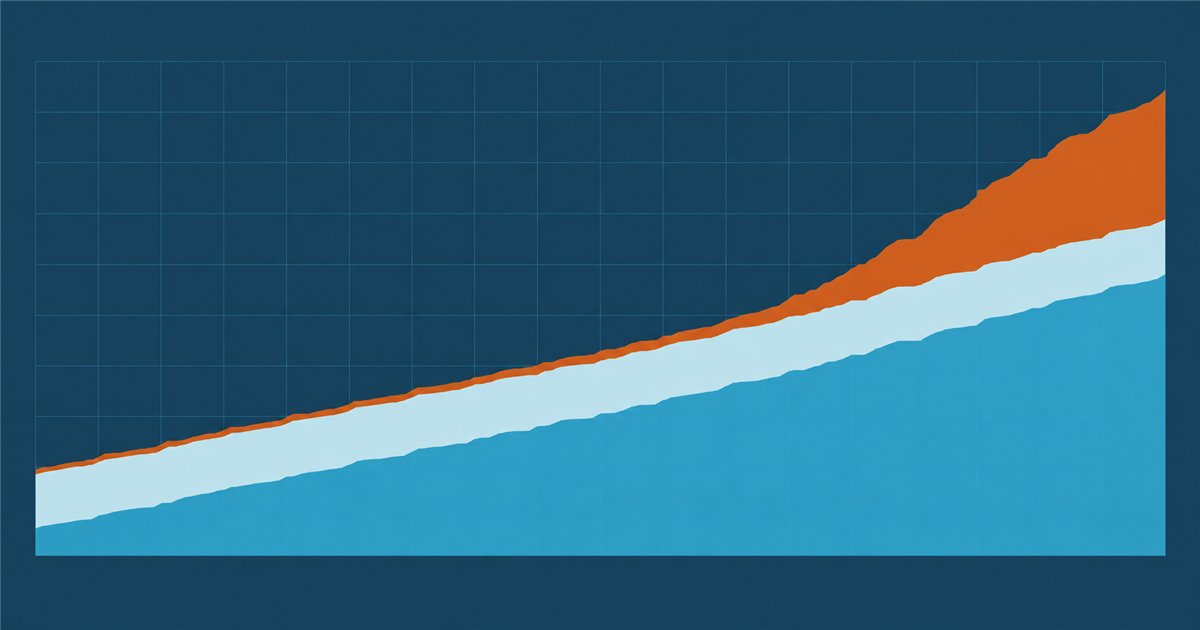
    A cumulative flow chart, teal completed band rising steadily, pale in-progress band steady, amber waiting band widening sharply on the right

    Measure throughput and waiting, and nothing else at first

    Two numbers, tracked weekly, will tell you more than a dashboard.

    Throughput. Products fully published per week. Not products touched, not assets processed. Completed.

    Waiting. For products currently in flight, how long since each last moved. Sorted descending, this is your problem list, and the top ten items are usually the same three causes.

    Resist adding more metrics until those two are stable. Utilisation in particular is a trap: a pipeline where everyone is a hundred per cent busy has no slack, and a queue with no slack has a waiting time that grows without bound. The team that looks slightly underloaded is often the one shipping faster.

    The mechanics of finding where the waiting is concentrated are in the product image workflow, which walks through instrumenting the handoffs.

    Capacity planning for a peak that happens every year

    Seasonal peaks are not surprises, and the plan for them should not be overtime.

    Work out the peak in units per week rather than in feelings. Six hundred products over eight weeks is seventy-five a week, against a steady-state throughput you now know. If steady state is forty, you need either double the capacity for eight weeks or a longer runway, and both of those are decisions to make in advance rather than discoveries to make in week three.

    Three levers, in order of preference:

    • Start earlier. The cheapest capacity is a longer window, and it usually requires only that samples arrive sooner.
    • Reduce the work per unit. Removing the crop production step, standardising the shoot setup, and generating variant records instead of typing them all reduce the per-unit cost permanently rather than for one season.
    • Add hands. Real capacity, real cost, and the least effective of the three if the bottleneck is approval rather than production, because adding producers to an approval-bound pipeline just lengthens the queue.
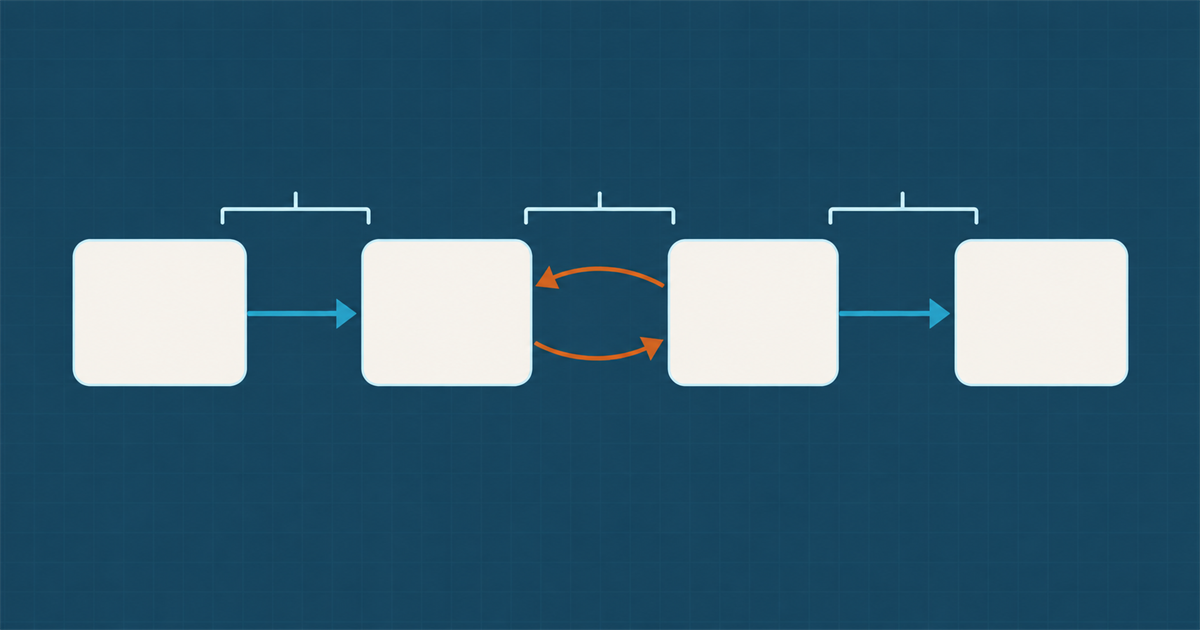
    Four cards in a row joined by teal arrows, the second arrow doubled in amber and looping backwards from the third card to the second

    Standards, kept short enough to be read

    Every operation accumulates a document nobody opens. Keep three, each on one page.

    The shoot standard. Setup, lighting, angles per category, and the shot list template. This is what makes this season’s images match last season’s, which matters more on a product grid than any individual image quality.

    The metadata standard. Which fields are mandatory at which stage, what the controlled vocabularies are, and who maintains them. Not the full schema, just the operating rules on top of it.

    The naming and identifier standard. What the SKU means, what the asset identifier means, and the explicit rule that neither is ever reused. Reuse is the single most damaging convention violation in this domain, because it silently corrupts history.

    If a standard is longer than a page it is a reference document, which is fine, but it is not the thing people follow during a launch week.

    What is the smallest version of this that works?

    For a team of three, running a few hundred products a season, the whole operation fits in one page and one board.

    Write the four roles on it with a name against each, even if two names repeat. Write the definition of done for each stage. Put every product on a board with one column per stage and a hard limit on how many can sit in any column at once. Review the waiting list once a week for fifteen minutes and fix the top cause.

    That is enough to stop each season being a rebuild. Software helps once the process exists and reliably formalises the wrong thing when it does not, which is the same warning as in the product image workflow. When a launch does come, the catalogue launch checklist is the pre-flight version of this page, the channel-facing half of the work is in syndicating product data to marketplaces, and the capacity question specific to imagery is in product photography without a studio backlog.

    Two external references worth keeping near the metadata standard: the IPTC photo metadata specification for what travels inside an image file, and the Dublin Core terms as a sanity check on your own descriptive fields. Neither is a system to adopt wholesale. Both are useful for settling arguments about what a field is supposed to mean.

    Related field note

    Continue with A practical checklist for product photography handoffs.

  • The product image workflow, shoot to storefront

    The product image workflow, shoot to storefront

    Ask a merchandising team why a product launched without images and you will get a story about the photographer. Ask the photographer and you will hear that the images were delivered three weeks ago. Both are telling the truth, and the gap between them is where the work actually stalls.

    Short answer: map the pipeline as a sequence of handoffs and measure the wait between each pair, not the duration of each step. In almost every catalogue operation the bottleneck is a single queue, usually retouching approval or metadata entry, and it is invisible because everyone is measuring their own step and reporting it as fast.

    The seven handoffs

    Written out, a typical pipeline for one product looks like this. Yours will differ in the details and not in the shape.

    1. Sample arrives. Someone books it in, and it either gets a shoot slot or waits for one.
    2. Shoot. Frames are captured against a known setup, ideally the same setup as last season.
    3. Ingest. Raw files land somewhere, are backed up, and get a first identifier.
    4. Selection. Someone picks the frames that will be used. This is fast and is nearly always waiting on someone senior.
    5. Retouch. Cleanup, colour, background. This is slow and is often outsourced, which adds a round trip.
    6. Approval. Brand or merchandising signs off. This is the queue.
    7. Catalogue. Metadata entered, asset associated with a product record, published.

    Between each pair there is a wait. The sum of the waits usually exceeds the sum of the work by a factor of three or more, which is why hiring another retoucher rarely helps.

    Measure the waits, not the steps

    Instrument this crudely before you buy anything. For fifty recent products, record one timestamp per handoff. You do not need a system for this; a shared sheet for two weeks is enough to find the answer.

    Two numbers matter. Touch time is the total of the work itself. Lead time is the wall clock from sample arrival to published. The ratio between them tells you where you are. A well-run operation is somewhere around one to four. Most are one to fifteen, and everyone in the chain is genuinely busy.

    Then look at the single largest gap. It is nearly always one of three: samples waiting for a shoot slot, retouched files waiting for approval, or finished files waiting for someone to type metadata. Each has a different fix, and buying a platform is only the fix for the third one.

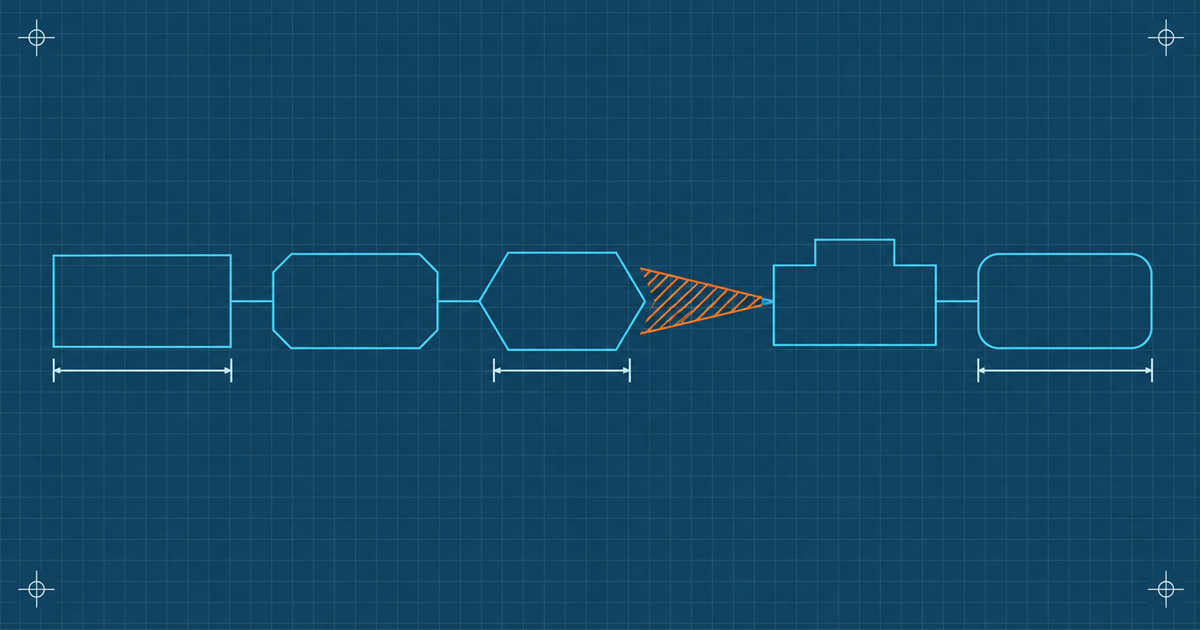
    A five-stage pipeline schematic with duration brackets under three stages and a wide amber hatched wedge between stages three and four

    Capture metadata at the point it is known

    The metadata queue is self-inflicted and it is the easiest of the three to remove.

    Most of what ends up being typed later was known at shoot time. Which product this is. Which angle. Which season and campaign. Who shot it. The set it belongs to. Typing it a week later, from a filename, by someone who was not there, is both slower and less accurate.

    The mechanics are unglamorous and they work:

    • Shoot into a named structure. A directory per SKU, or a capture template that writes the SKU into the file’s metadata at capture. IPTC photo metadata fields are written by most capture and editing software and survive most exports, and ExifTool will tell you whether yours survived.
    • Use the shot list as the data source. The list already contains the SKU, the angle and the required frames. It is a manifest. Ingesting against it means the association is made by matching, not by typing.
    • Let automatic extraction do the mechanical fields. Dimensions, format, capture date and camera settings should never be entered by a person. Subject tagging can be proposed automatically as well, which is useful for search recall and should not be trusted for approval state or rights.
    • Enter judgement fields once, deliberately. Approval, rights, and the default description are the fields worth a human. Everything else should arrive by itself.

    Stop producing crops as a pipeline step

    Steps five and seven in most pipelines include producing the six or eight sizes each channel needs. That work is real, it is repeated per asset, and it produces files that go stale independently of the master.

    It is also avoidable. If renditions are derived from the master on request, the pipeline ends at the approved master and the channels take what they need. That removes a step, removes a storage problem, and removes the class of bug where a product page updates and the marketplace listing does not.

    This is the operational reason to prefer a delivery layer that transforms by URL rather than a folder of exports. The transformation model turns eight export tasks into eight parameter strings, and the mechanics of that are in what a DAM actually does.

    Three trays on a dark tabletop, the left full under teal light, the middle half full, the right holding one object under an amber lamp

    The approval queue

    This is the hardest one, because it is a people problem wearing a process costume.

    Three things reliably shorten it:

    Approve sets, not files. A reviewer looking at four hundred individual images will batch them mentally anyway, badly. Present the shoot as a set with a contact sheet and let approval happen at set level, with exceptions flagged individually.

    Define what approval means. Half of all approval delay is a reviewer who is not sure whether they are checking brand compliance, retouching quality, or product accuracy. Write down which, and route each to the person who can answer it. Three fast reviews in parallel beat one slow one that covers everything.

    Give it a deadline that has a default. Unreviewed after five working days means approved, or means escalated, but it has to mean something. A queue with no timeout is not a queue, it is a place things go.

    What should you fix first?

    In this order, because the earlier ones make the later ones cheaper.

    1. The metadata queue, by capturing at the point of knowledge. Cheapest fix, fastest payback, no purchase required.
    2. The crop step, by deriving renditions instead of producing them. One integration change, and it removes work permanently.
    3. The approval queue, by changing what approval means and who does it. Free, slow, and political.
    4. The shoot slot, which is usually a capacity question and the only one that costs money. Product photography without a studio backlog covers the ways to add throughput without adding a studio.

    Do not start by buying a workflow tool. A tool imposed on an unmeasured pipeline formalises the queue rather than removing it. Once the shape is known, the wider operating model, including who owns which step and what happens at seasonal peak, is in running product content as an operation. The launch-day version of the same checklist is in the catalogue launch checklist.

    Related field note

    Continue with The hidden cost of product taxonomy ownership.